This website lets you create a portrait in the style of the book cover for Wonder by RJ Palacio, and you can choose a precept to add.
Showing posts with label Literacy and English. Show all posts
14 November 2017
27 April 2017
Vocabulary Ninja
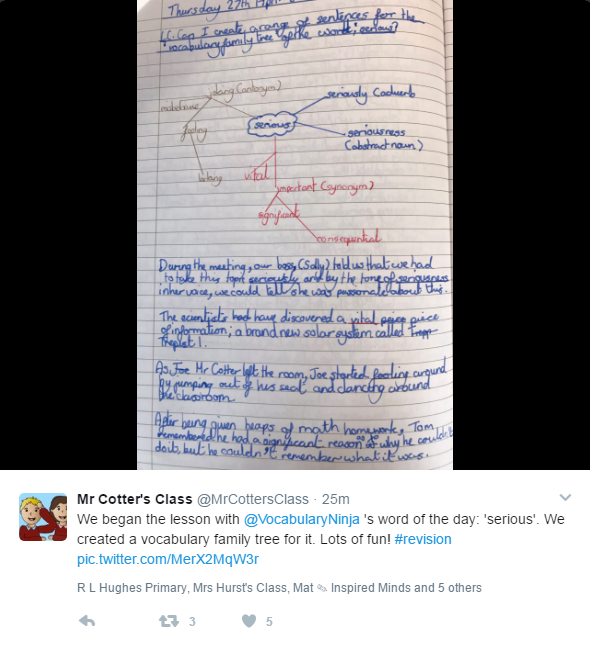
This is worth a look - a website that shows a word of the day for upper or lower primary, and a literacy question to try.
Here's an example of what's on the website, and below is an example of a class activity that was posted on Twitter.
17 November 2016
More videos for Emotion Talks/ Building Resilience
The first video shows a tiny bird learning to gradually persevere to overcome their fears. It would be great to pause the video and create speech or thought bubbles for what the character is saying at different parts of the movie, including aspects of the sequencer. The signs are subtle, but you can see body sensations - for example, when the bird's tummy rumbles when he is scared, and the expressions on his face show him grow in confidence to becoming excited, proud and confident. I've added some screenshots under the video if you want to use some still images from the film - just right click to copy or save them.


This is a cute Christmas film, in which a snowman has to cope with the wait for Christmas:
This shows a character in a dangerous environment who is able to cope with the help of someone else:
This is a cute Christmas film, in which a snowman has to cope with the wait for Christmas:
This shows a character in a dangerous environment who is able to cope with the help of someone else:
Tumbleweed Tango from Humble + Postal on Vimeo.
19 August 2016
Roald Dahl Day
This year will be the 100th year since Roald Dahl's birth. The Roald Dahl website has lesson plans based on his stories, games, activities and information. There is a pack full of worksheets and activities for children which you can download here.
The trailer for the new BFG movie could be good to inspire some writing or discussion:
The Mathematics Shed website has several downloadable worksheets suitable for all ages, including 'Count the objects in Mt Twit's beard', 'George's Marvellous Measuring' and sheets of word problems based on Charlie and the Chocolate Factory.
5 January 2016
Star Wars Intro Creator
This website is amazing - you can type in your own text to create your own Star Wars intro! I've made one for P6a you can view here, and you can have a go yourself here.
23 October 2015
Pobble 365
This is an interesting teaching website: Pobble 365 puts a picture online each day along with questions to discuss and ideas for writing. You could use the sentence ideas as part of a grammar lesson, or the whole thing for a Big Writing lesson.
20 September 2014
Sounds for your classroom
Noisli is a lovely website where you can play a variety of different sounds, and mix them together, combining them to create background sounds to create atmosphere in your classroom (or at home if you like!)
Once you've selected your sounds, the website changes colour to suit the mood. This could be a lovely way for your children to talk about what helps them concentrate and they could try mixing sounds to get the balance right, or you could use it in Big Writing lessons either as background noise or as inspiration when writing about settings.
Colour thesaurus for writing
This website has a beautiful visual thesaurus of colours, which would be great to use in lessons to get interesting vocabulary and also great for metaphor and simile work too. The author has made one for each colour which you could display on your Smartboard from the website, or you can right click (PC) or tap and hold (iPad) to save the images.
15 September 2014
Teaching with ICT
I've found the ICT games website invaluable to help teach with ICT in the classroom, and have used it often on a Smartboard to teach to the whole class, as well as for group and individual activities. It's probably best for lower stages of school, but there are a few things that are useful further up the school too. There is a vast amount of useful stuff on the website, so I've just put a few highlights below, please explore the site to find more.
Some ways it could be used on your class Smartboard:
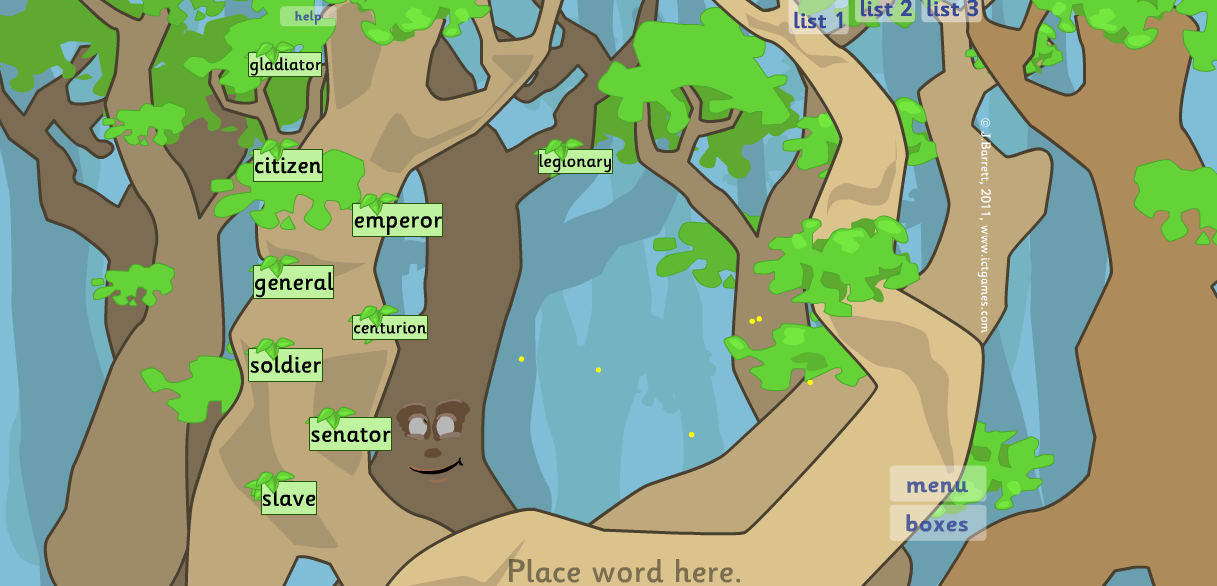
The Wordy Woods is a great way to display words during writing. The children can add to the list, and these are displayed on a tree. Dragging a word to the bottom of the screen enlarges it. There is the option of having three lists, so these could eb categorised however you wish eg adverbs, emotion words, and adjectives. The words are saved too - you don't need to retype them when you next go to the site.
Word Bingo is great for group games. There are ready made high frequency word lists and ready made lists to print off.
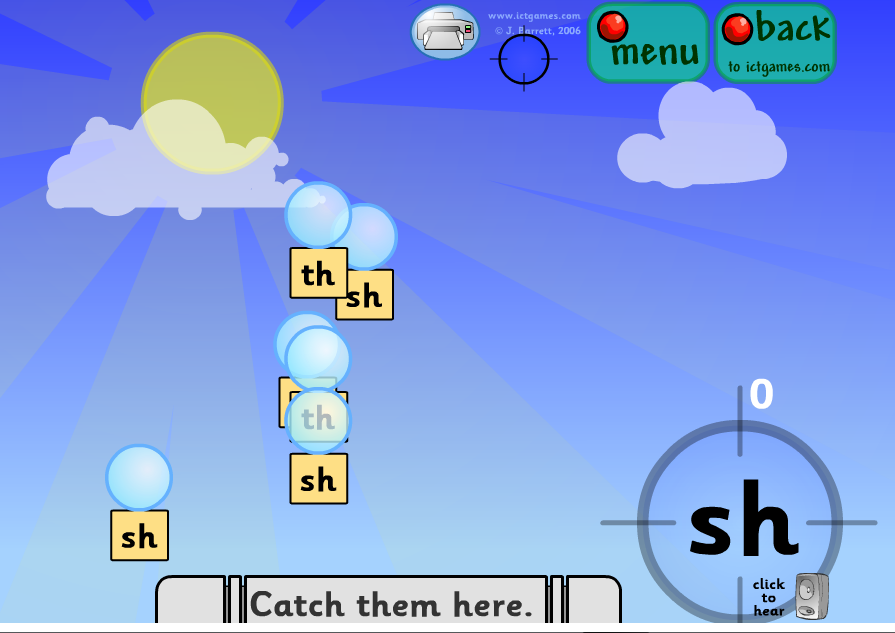
Phoneme Pop is great for groups to play as part of a carousel of activities. The children take turns to pop the bubbles which match the sound they hear.
Techno Tortoise (!) is great for demonstrating how to use a numberline. There is a game too.
This Spanish interactive date chart will be useful next year.
Some ways it could be used on your class Smartboard:
The Wordy Woods is a great way to display words during writing. The children can add to the list, and these are displayed on a tree. Dragging a word to the bottom of the screen enlarges it. There is the option of having three lists, so these could eb categorised however you wish eg adverbs, emotion words, and adjectives. The words are saved too - you don't need to retype them when you next go to the site.
Word Bingo is great for group games. There are ready made high frequency word lists and ready made lists to print off.
Phoneme Pop is great for groups to play as part of a carousel of activities. The children take turns to pop the bubbles which match the sound they hear.
Techno Tortoise (!) is great for demonstrating how to use a numberline. There is a game too.
This Spanish interactive date chart will be useful next year.
14 September 2014
Eric Carle books
This lovely website has videos of Eric Carle books, and a video of Eric Carle himself reading The Very Hungry Caterpillar. It's a beautiful way to revisit the stories - while I don't think these should replace the books, this website compliments the books brilliantly.
Click here for the website.
8 August 2014
Newspaper Generators
There are a few ways to make newspaper pages using websites. Newspaper Generator will adjust to fit your text and creates a realistic looking folded page like this:
It doesn't offer a spellcheck feature though - definitely best to get the children type their article in Word, then copy and paste onto this site. You can't save either, so once you've pasted the text in, just print or take a screenshot to save.
You can also try this which is similar, but will fill a whole page with other stories.
It doesn't offer a spellcheck feature though - definitely best to get the children type their article in Word, then copy and paste onto this site. You can't save either, so once you've pasted the text in, just print or take a screenshot to save.
You can also try this which is similar, but will fill a whole page with other stories.
Book Creator
A fantastic, really easy to use app that lets you add photos, video, sound and text to make a book. Once you make a book, just save it in ibooks (as shown in the video below). You can also now save it as a video so that the book can be put online - fantastic for our website.
Book Creator for the iPad from Book Creator on Vimeo.
5 April 2014
Stimulus for Writing
This website has a virtual tour of the grounds of a wedding venue; it would be great as a prompt for writing about Spring or going for a woodland walk. You can rotate the view in every direction, so can look at the sky too. I find using a virtual environment like this can be useful when writing paragraphs - each view of a different item or scene can be written as a different section.
Rather than continuing on down the path, children could write about where the path might lead and make a descriptive piece into a story if they like.
18 January 2014
Robert Burns
Click here for a downloadable version of this map:
There are some other links to Burns and Scots poetry on this blog from last year
12 January 2014
Using ICT to help teach about direct speech
There are several websites for creating fake text messages like the one above, and would be really handy for reminding children when writing to:
* take a new line when a new person speaks
* enclose the speech and punctuation in speech marks
* a comma follows the text (like the little bit at the end of a speech bubble)
You could try iphone text generator, fake phone text and i fake text
* take a new line when a new person speaks
* enclose the speech and punctuation in speech marks
* a comma follows the text (like the little bit at the end of a speech bubble)
You could try iphone text generator, fake phone text and i fake text
24 September 2013
Teach Your Monster to Read
Teach Your Monster to Read isa free online game to help children practice and consolidate the essential first stages of reading.
Aimed at beginner readers, Teach Your Monster to Read: First Steps is built on the principles of synthetic phonics and follows the teaching sequence in the “Letters and Sounds” programme

This
inspiring game develops children’s speed, and accuracy of letter
recognition, by taking them on a fantastic adventure through a magical
world where they meet island kings and collect letters to win prizes.
It also explores blending and segmenting, and introduces “tricky” words
in a fun, interactive setting. It is aimed at beginning readers, both
those who are on track & those who need support. And, it’s great fun
too.
Photofunia
This website lets you use a photo and insert it into another to make something new. There are hundreds of effects to choose from. You could use these on posters, in stories or reports or to inspire writing. The software is designed for adding faces into existing photos, so children could upload their own picture and make themselves into a new character for storywriting. Click here
Create a planet!
This is a fab website, which I'll probably be using with classes in ICT this term - you can create a little mini planet from Google Maps. You can go anywhere in the world to make your mini planet, and then use the arrow keys on the keyboard to move around it. Brilliant for discussion and writing inspiration.
Free online books
There are 4 free online books to explore on your Smartboards at salariya.com from the 'You wouldn't want to be..' range including: Roman Gladiator, Egyptian Mummy, Polar Explorer and Sail on a 19th Century Whaling Ship.
Design a Comic Book Cover
Probably best for upper school, this website is great for creating and analysing stylish comic book covers. You can add a title, sub-headings and pictures to create your own story, and then of course you could write it!
Click here
Subscribe to:
Posts (Atom)
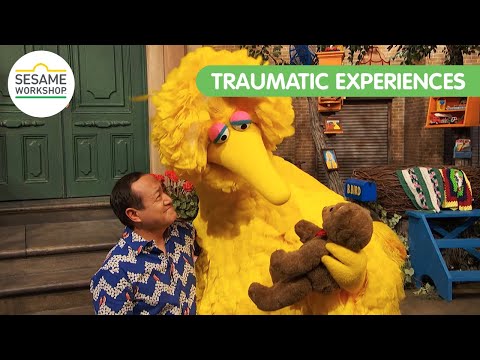
Sesame Street helping children who have experienced trauma
You may have heard about the fantastic work Sesame Street does to support children, including their inclusion of a character with autism o...
-
This is an interesting teaching website: Pobble 365 puts a picture online each day along with questions to discuss and ideas for writing...
-
You may have heard about the fantastic work Sesame Street does to support children, including their inclusion of a character with autism o...
-
This website: typing.com is amazing. There are tutorials for improving keyboard skills and lots of brilliant games that I'm sure you...