Showing posts with label iPads. Show all posts

13 January 2016

Guided access on iPad - 'lock' an app


It's possible to set your iPad up to prevent children switching between apps - you can 'lock' the iPad to one app until you change it.
    Go to settings, general, accessibility, the select guided access, and tap the switch to turn it on. Choose a numeric passcode you'll remember. Now when an app is open, triple click the home button. You'll be asked to enter your passcode, then the app cannot be closed until you triple click the home button and enter the passcode again. 
    You can also disable parts of the screen, for example if you want to prevent any settings being changed within an app, by drawing a circle around the part of the screen you want disable when you triple click to open the guided access settings. 

    14 May 2015

    Chatterpix


    Kay recently recommend this fab app - Chatterpix. It creates animated talking pictures. You take a photo, draw a line on it to make a mouth, and add other features. You can then record your voice and the picture will become animated, 'saying' whatever you said. It would be a great way for children to practise talking clearly, and practising their Spanish, French, German or English.

    It's free to download on the app store.

    22 January 2015

    Looking after your iPad

    I thought it might be helpful to have a post here with information for using your iPad, so that it's all in one place for you to refer back to when you need to.


    It's important to connect to wifi every once in a while to keep your iPad updated with the latest software and apps, or it will stop working well. If you do this regularly then it's not a big job.  This could be recorded as CPD.

    To update your operating system - you'll get a pop-up message from Apple telling you that an update is available. Then a little red number will appear next to the settings button. Just open settings, then software update, and tap Install. If the memory is too full (very likely with iPad minis) then you'll need to delete some videos and photos or apps to make space.

    To update apps:
    Open the app store, then tap on 'Updates' in the bottom right. There's a glitch that sometimes opens the apps instead of updating them. To update these apps, search for them in the App Store, tap on the app title, and update them from here.

    Useful links:

    How to remove videos and photos and put them on your computer (scroll down to 'Import media to a Windows PC)

    How to reset your Apple ID (itunes password)

    How to reset your iPad if you forget the passcode

    I'm happy to help with any iPad queries, just let me know.


    20 September 2014

    Book Creator

    We talked briefly about the Book Creator app at our recent development session. I though it might be worth posting more information here for anyone that wasn't there, or anyone who wants to revisit what was shown and learn more about how to use Book Creator.
    I think involving our classes in making books in Book Creator is a great way for them to plan, record and evaluate their own learning - much like with making a floorbook. I think using Book Creator is quicker and easier than making a floorbook though, as you don't need to print out photos, and you can also record audio and video of the children talking about their learning, so younger classes can be actively involved without having to write.
    You could use Book Creator for anything though - it wouldn't need to be like a floorbook. You could use it to keep a record of a lesson, a series of lessons, a trip, a Libby Leaders session or anything really.
    I've made a short 5 minute video to explain why and how to use the Book Creator app - was a bit easier than typing out instructions and adding screenshots. It's a bit rambly but should show you how to get started.


    I've also added a video below  of the book we're making in P6 (still a work in progress) to let you see how it works as a video if you didn't see it at the development session. I'll post up the finished video to our website once it's done. If you want to use this and need a hand, please let me know. Or if you make a book and have any suggestions for things that worked well, please let me know too.


    8 August 2014

    Book Creator

    A fantastic, really easy to use app that lets you add photos, video, sound and text to make a book. Once you make a book, just save it in ibooks (as shown in the video below). You can also now save it as a video so that the book can be put online - fantastic for our website.

    Book Creator for the iPad from Book Creator on Vimeo.

    9 June 2014

    Using AirDrop to share photos between iPads

    I sent this info out as an email a while ago, but thought it would be useful to put here too.
    The quickest and easiest way to share photos or video between iPads is to use the AirDrop function:

    1. Make sure both iPads are connected to wifi.
    (If they don't connect automatically, remember to go to tap on Settings, then wifi, and choose LT-OPEN. Then open Safari and put your username and password to get online).

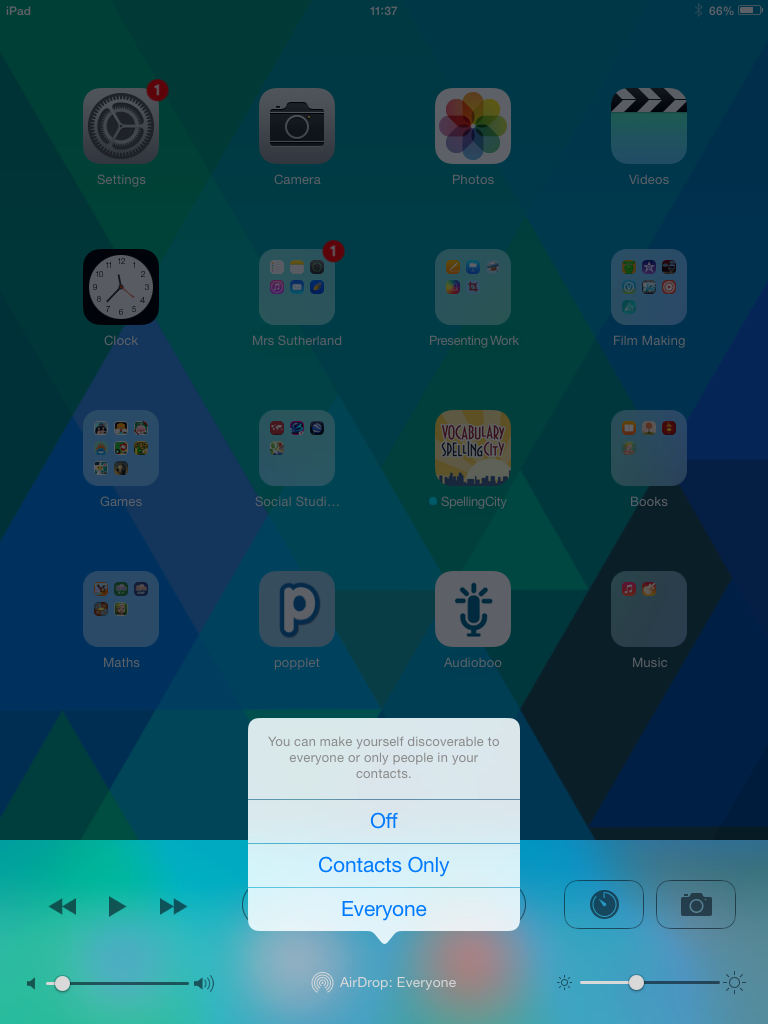
    1. On both iPads, swipe up from the bottom of the screen to see the Control Centre:


    2. Tap on the AirDrop icon, and select Everyone:


    3. On the iPad that has the photos you want to share, open your photos, and tap Select in the top right, then tap on all the photos you want to share. A blue tick will appear on each one:


    4. Tap the arrow in the top left of the screen and then tap on AirDrop. In a few seconds, this will appear on the iPad you're wanting to share with. Tap accept and that's it!

    25 February 2014

    New apps - Animoto and AudioBoo

    I've remotely sent out two new apps - Animoto is a really easy way to make a wee video, and AudioBoo is an app to record sound.
    To use Animoto, you just open the app, and it'll ask you to click on up to 12 photos or videos from your iPad. Once you've clicked these, you then select a theme, and it puts the photos and/or video clips together for you into a slideshow complete with music - you don't need to do any editing at all. (You can add some text if you like though). It does mean that it will trim your video clips to fit, but it works really well. This would be a great way for even infant classes to create their own videos by slecting the content they'd like. Because Animoto is a free app, you can't save the video into your camera roll - it saves within the app and on the animoto website. From there, you can share the video by using Airdrop (a quick way to share with a nearby iPad) or by emailing the link. By all of us using the same account, it means I can easily share videos on our website if you'd like to.
    AudioBoo is another free app, and allows you to record up to 3 minutes of sound. Again, if we use the same account, I can upload recordings onto our website if you'd like to share them(you can hear examples on the p5b page of our website). Please give these a go, and just ask if you need a hand.

    13 January 2014

    Classical Masterpieces App

    Classical Masterpieces is a free app with 20 pieces of classical music. Leigh-Anne recommended this, and suggested it might be agood idea for Big Writing lessons - would save you searching for music online or using the CD in the box - thanks Leigh-Anne!

    Any other recommendations would be greatly appreciated!

    24 November 2013

    Apps for supporting SEAL

    There are some fantastic FREE apps which support SEAL available - these are absolutely brilliant and are designed for 4 children to use at a time! The photo below shows Math Slide: tens and ones. Four children sit round the iPad and have to drag the corresponding fingers, dice pattern or ten frame into the middle of the screen to match the number.
    The Math Slide: tens and ones has ten different games to play involving understanding place value. Also available are Math Slide apps on addition and subtraction, multiplication and division and hundreds tens and ones.

    20 November 2013

    New(ish) operating system for iPad

    There are some online guides to using iOS 7 available which have some handy tips and tricks you might not know. Just click the links below. Guide to iOS 7 Tech Radar website If you're up for a reading an in-depth guide, or want a guide saved on your iPad that you can dip in and out of, then download the Apple guide to iOS 7 which will download into the iBooks app. It's pretty lengthy though (210 pages!) but is very comprehensive, explaining everything you need to know (and more) about using iPads.

    11 November 2013

    Mystery Math Museum - free on Friday!

    The iPad app, Mystery Math Museum will be free on Friday (normally £1.99). It's recommended for ages 6 to 12, so it might be best to watch the video below to see if you think it's suitable for your class:

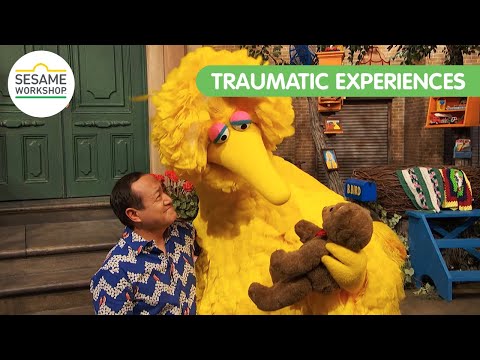
    Sesame Street helping children who have experienced trauma

    You may have heard about the fantastic work Sesame Street does to support children, including their inclusion of a character with autism o...